
Your Home Office Desk Setup: A Guide to Comfort & Style

A home office can start as a dining chair, a spare table, and a laptop balanced beside a coffee mug. Then the neck stiffness shows up, cords begin to sprawl, and the room stops feeling like a place to work and starts feeling like a compromise. A home office desk setup should do the opposite, it should bring calm, support, and a sense of permanence to the workday.
That need is more common than many homeowners realize. A 2024 HP Work Relationship Index survey found that 68% of employees said their home office setup did not support their physical health, often because of desk space and chair quality (source data). For families across South Georgia and North Florida, that gap is where a well-chosen desk, chair, and layout can make the home feel more refined and far more usable.
At Lott's Furniture, the approach is simple. Start with the room, match the furniture to the work style, and build toward a setup that feels personalized rather than temporary. The right pieces, chosen with care, can turn a corner of the house into a curated sanctuary for focused work and everyday comfort. For a closer look at how that transformation can begin, see our guide to creating an inspiring home office.
Crafting Your Ideal Workspace Starts Now
A workspace that feels improvised usually behaves that way. The desk gets crowded, the chair never quite fits, and the room starts working against the person using it. That frustration is especially familiar in homes where office space had to be assembled quickly and never fully revisited.
Why the setup feels off
The bigger issue is often not effort, it's mismatched furniture. If the work surface is too shallow, the monitor creeps too close. If the chair is wrong, shoulders rise, wrists bend, and the body takes the strain all day long. Many people keep tolerating that setup because it functions well enough in the moment, even though it never feels comfortable.
A thoughtful home office desk setup changes that feeling. It creates a designated place for work, one that supports focus without looking temporary or unfinished. That's where a local furniture partner matters, because guidance, measurement, and finish selection all shape how the room will live day to day.
Practical rule: If the space feels like a stopgap, the furniture is probably doing only half its job.
We help homeowners in South Georgia and North Florida move from “this will do” to “this works beautifully.” A better desk arrangement isn't just about appearance, it's about comfort that lasts through real work, real meetings, and real deadlines. That's also why many shoppers begin with a digital browse and then visit our showrooms in Fernandina Beach, FL, where the scale and finish of each piece become much easier to judge in person.
Mapping Out Your Home Office Foundation
Before choosing a desk, the room has to be read correctly. Measure the floor space, then look harder at the way the room behaves. Windows, electrical outlets, door swings, and walking paths all matter because they decide whether the office feels open or crowded.
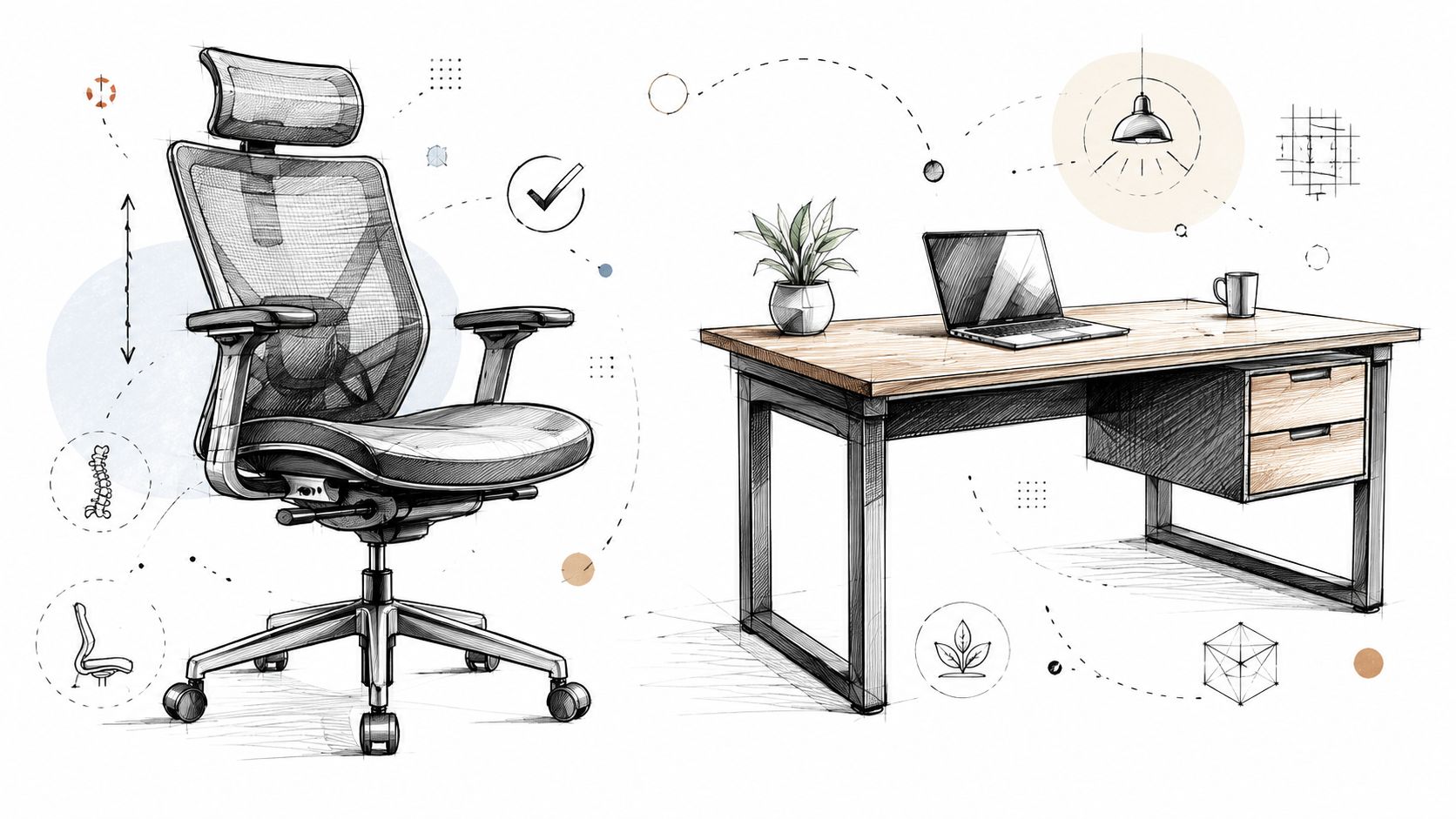
A desk shoved into the first empty corner often blocks the room's natural flow. A better plan gives the chair room to move, keeps cords from crossing a walkway, and leaves enough clearance so the space doesn't feel boxed in. The internal layout matters just as much as the furniture itself, and the placement guide on our site can help frame those decisions: home office desk placement ideas.
Measure for the work, not just the room
The question is what the room needs to support. A laptop-only user can work with a smaller footprint than someone using dual monitors, a printer, filing storage, and paper reference materials. If the office has to support both deep focus and frequent movement, the layout should leave breathing room around the primary work zone.
Use the room to define the shopping list:
- Monitor position: The screen should be centered to the body, not parked in the corner where the room happened to allow it.
- Chair clearance: Leave enough open space so the chair can slide back naturally without hitting a wall, cabinet, or baseboard heater.
- Power access: Place the desk close enough to outlets that cords don't need to cross the room.
- Room function: Decide whether the office also needs to serve as a reading nook, filing area, or video-call backdrop.
That blueprint makes shopping easier online and in-store. It also keeps the buyer from choosing a piece because it looks good on a screen rather than because it fits the workday. The home office furniture buying guide is a good companion when the room plan is ready and the furniture search begins.
Choosing Your Anchor Pieces The Desk and Chair
The desk and chair carry most of the load in a home office. They decide the posture, the room's visual tone, and how long the setup will remain comfortable before fatigue starts to creep in. That's why these pieces should be treated as investment-quality furniture, not placeholders.
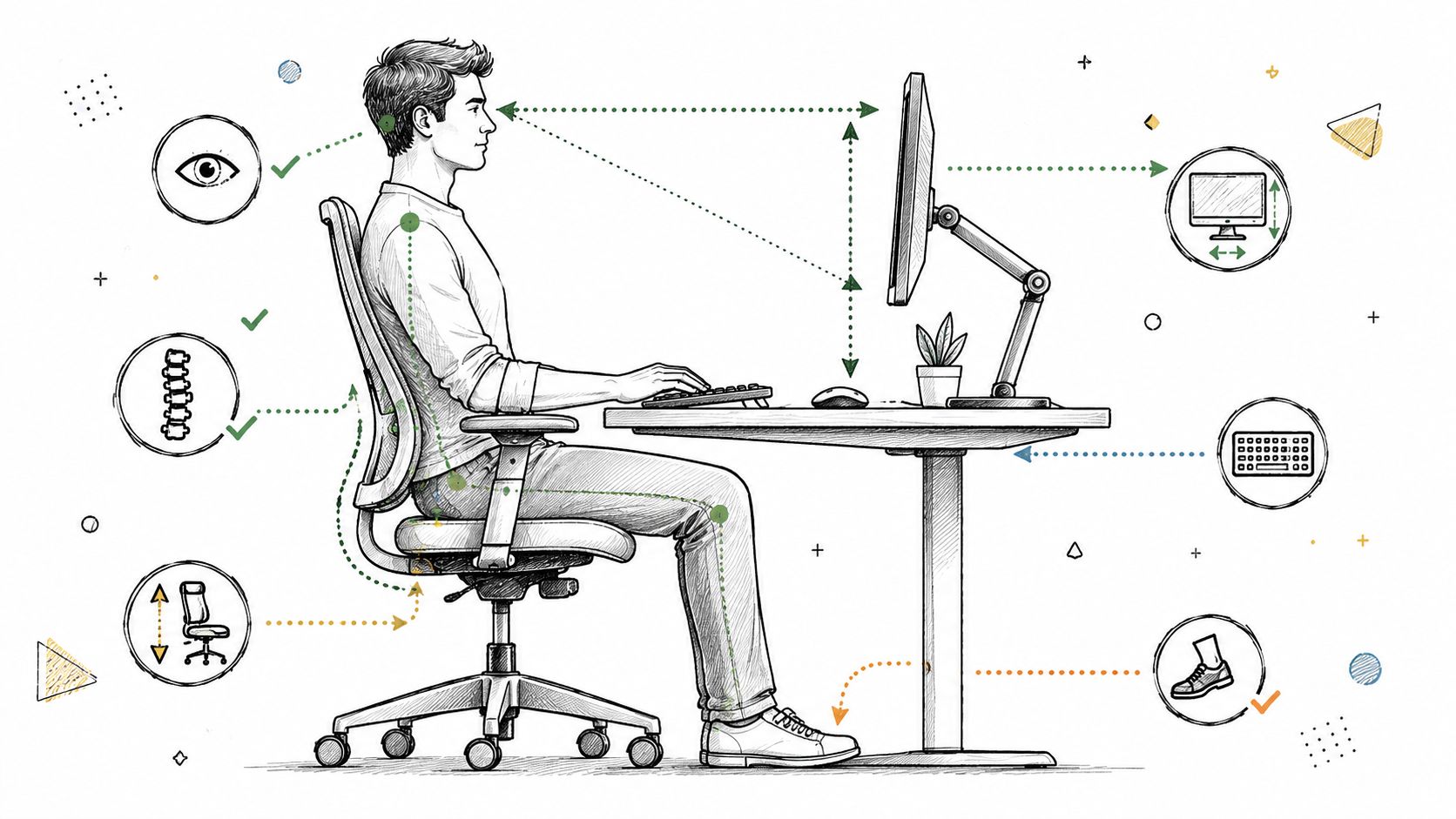
A desk needs to fit the equipment, not the other way around. Ergonomic guidance says about 30 inches of depth is comfortable for an external monitor and keyboard, while a 60-inch width works well for dual monitors. That's the difference between a workstation that feels spacious and one that constantly asks the user to compromise.
Desks that match real work habits
A compact writing desk may suit a laptop and a notebook, but a dual-monitor setup needs more breathing room. That's where a deeper surface, a broader top, or an L-shaped layout starts to make sense. In compact rooms, the desk still has to preserve knee space and room for the chair to move naturally.
For buyers who want a furniture piece that looks finished rather than utilitarian, the material and trim matter too. A timeless executive desk from Hooker Furniture or a polished writing desk from Lexington can bring warmth and presence to the room without sacrificing function. The right finish also helps the office feel integrated with the rest of the home.
Why customization changes the result
The Special Order Program makes a real difference. Many vendors support personalized fabrics, finishes, comfort choices, and even dimensions, which means the office can be built around the homeowner rather than around a one-size-fits-all catalog. That kind of customization matters when the room has unusual proportions, a specific color palette, or a desire for heirloom-quality detail.
The chair deserves the same discipline. A supportive office chair can be a specialized task chair, or it can lean more relaxed while still offering real ergonomic value. A Stressless chair brings a refined comfort profile, while a Smith Brothers office chair can be selected for a more refined look and feel. The point isn't to chase a trend, it's to choose pieces that keep posture steady and still look at home in the room.
Good buying test: If the desk and chair don't feel right after a long conversation at the showroom, they usually won't feel right after a long workday.
Desk size guide by work style
| Primary Work Style | Recommended Minimum Depth | Recommended Minimum Width |
|---|---|---|
| Laptop-only work | 24 inches | Varies by room and accessories |
| External monitor and keyboard | 30 inches | Broad enough for keyboard, mouse, and task items |
| Dual monitors | Deeper surface preferred | 60 inches or an L-shaped layout |
When those choices are made carefully, the office starts to look intentional from every angle. It also becomes easier to sit down, get to work, and stay there without constant adjusting. A well-planned desk and chair pairing does more than furnish a room, it gives the room a job.
Achieving Perfect Ergonomics and Tech Setup
A beautiful office still fails if the body has to fight it all day. Ergonomics sits under the style, and when it is right, the workday feels easier to sustain. The goal is straightforward, keep the screen, hands, and feet in positions that reduce strain and let the user stay focused.
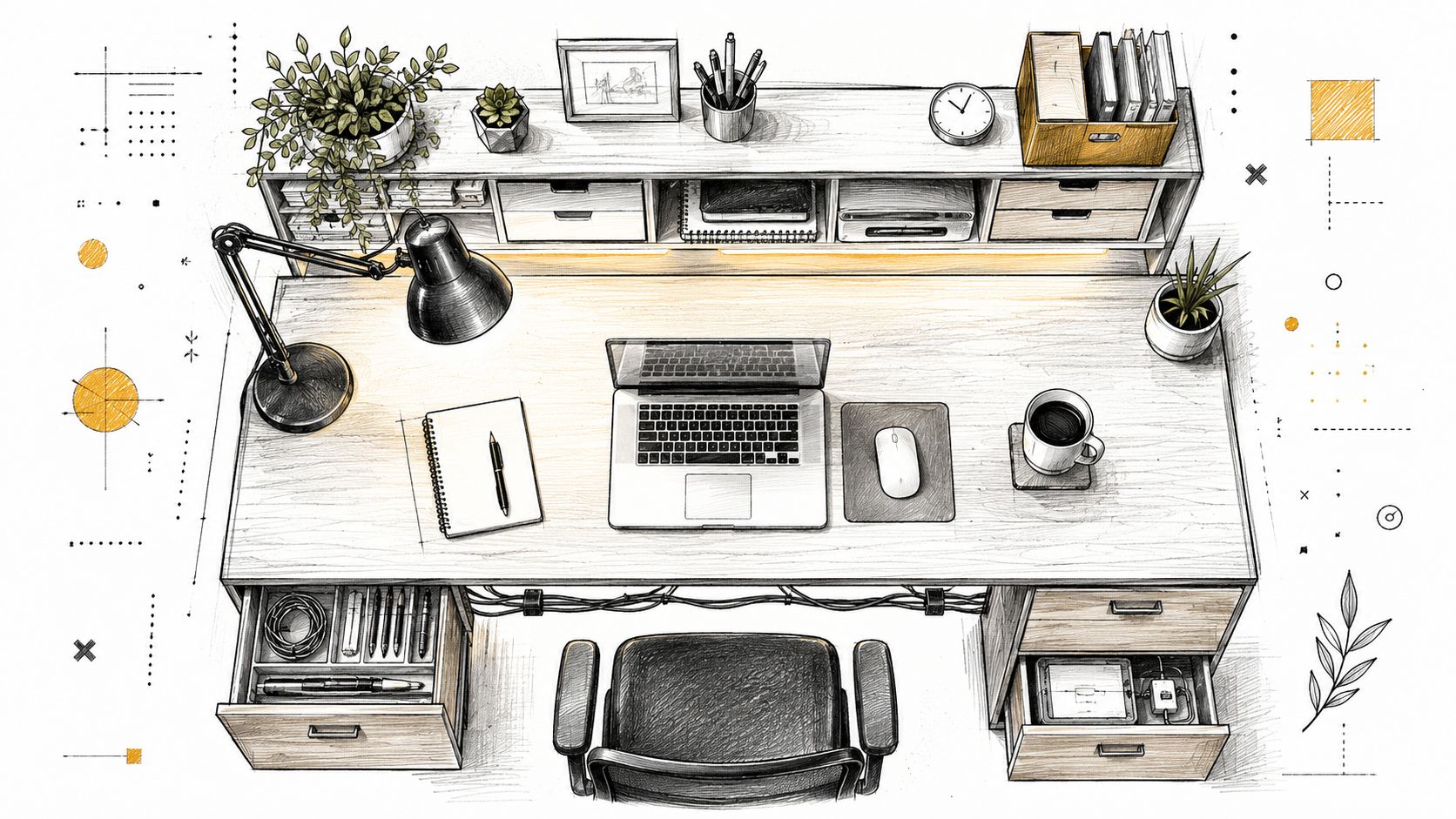
The desk surface itself matters more than many people realize. One ergonomic guide puts the work-surface height at 29 inches from the floor to the top of the desk, with forearms parallel to the ground, wrists straight, and elbows at a 90-degree angle with shoulders relaxed (desk height guidance). That gives you a practical benchmark, not a style rule.
Screen height and distance
The monitor should sit where the neck can stay neutral. Home-workstation guidance says the top of the screen should be at eye level, the screen should be about one arm's length away, and laptop users should raise the laptop so the top of the display is at eye level while using a separate keyboard and mouse (workstation setup guide). Keep the monitor set to support the posture, not force it.
A stand can solve part of the problem. Books or a sturdy platform can work as a temporary lift, but a stable screen height is better for daily use because it does not change from one session to the next. That matters even more when the desk doubles as a call station, a paperwork spot, or a shared household surface.
Keyboard, mouse, and break rhythm
Hands should stay low enough that the shoulders can relax. For laptop users, an external keyboard and mouse are not a luxury. They are what make the setup workable over time. If the keyboard sits too high, the wrists bend and the shoulders rise, which is the pattern that brings fatigue into the day.
For a closer look at habits that support this kind of setup, use this guide to repetitive strain prevention. The right hardware and the right break habits work together, and one without the other leaves gaps.
Short pauses also matter. Time away from the screen gives the body a reset, especially when work keeps the same muscles in the same position for long stretches. That rhythm helps the desk feel usable rather than punishing.
Monitor and laptop placement basics
- Primary screen placement: The main monitor belongs directly in front of the user.
- Secondary screen use: Additional displays should sit to the side, not pull the head into a constant twist.
- Laptop use: If the laptop stays on the desk, raise it and pair it with a separate keyboard and mouse.
- Desk edge comfort: A soft or rounded front edge, or a padded hard edge, helps reduce pressure at the wrists and forearms.
Those details turn a pretty desk into a usable one. They also keep the workstation from looking polished but feeling punishing after a few hours. If a chair needs to be broken down or repositioned during a room reset, the office chair disassembly guide is a useful reference.
Integrating Lighting Storage and Cable Management
A polished office has more going on than the desk itself. Lighting, storage, and cable control are the parts people notice only when they're wrong, and then they notice them constantly. Get them right, and the room feels calmer, cleaner, and easier to use.
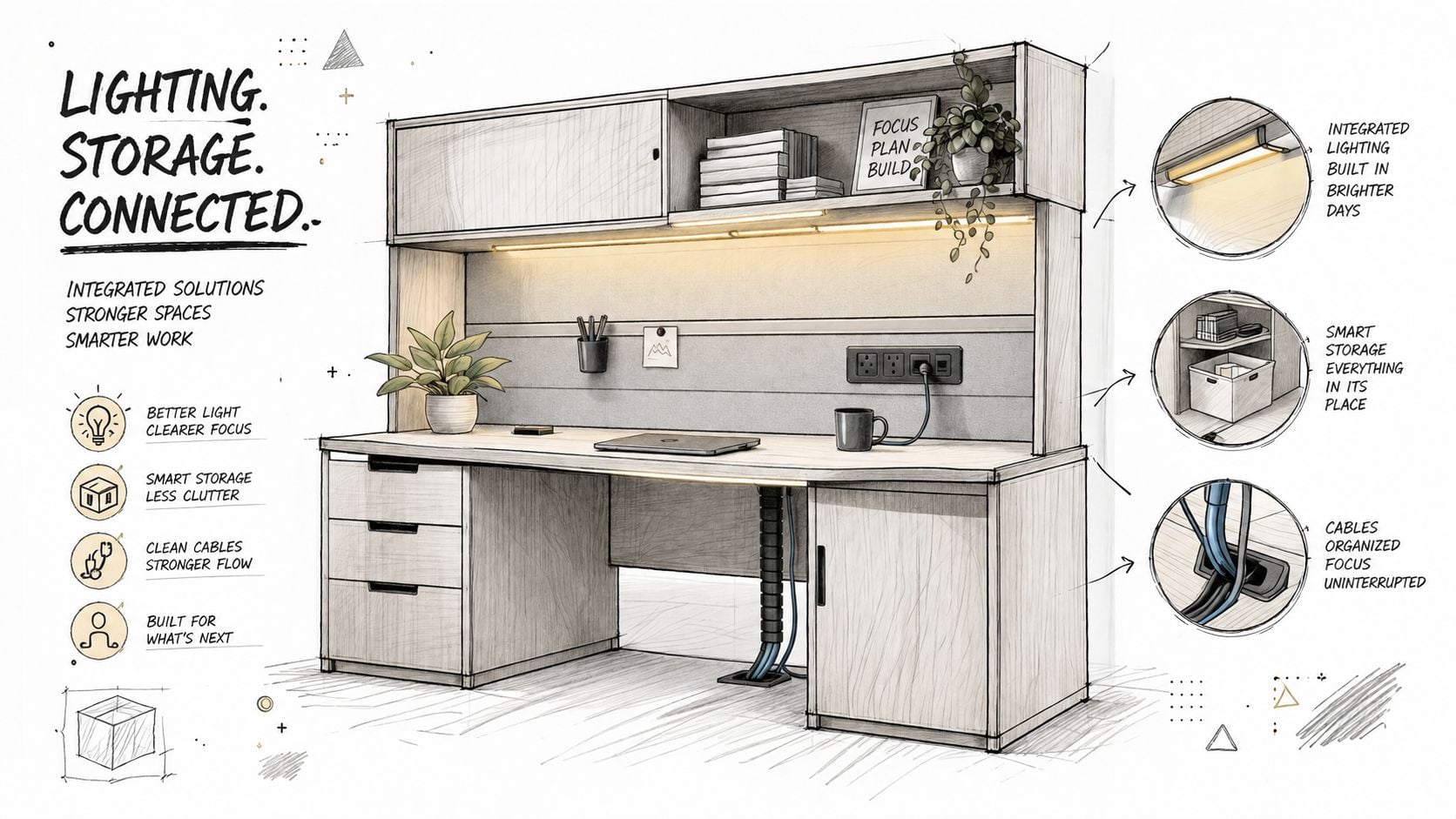
Lighting deserves a layered approach. Natural daylight is valuable, but the desk should be oriented so glare doesn't wash out the screen. The most reliable placement keeps the desk perpendicular to a window, not directly facing it or backing into it, because that reduces reflections while still bringing in daylight (window orientation guidance).
Storage that supports the workday
Storage should keep the essentials close without crowding the work surface. A credenza can hide paper goods and office supplies, while a bookcase can hold reference books, decorative objects, and bins for items used less often. Wall-mounted shelves can also keep frequently used items visible without eating up floor space.
This is also where the room starts to feel finished. A few carefully chosen pieces can make the office look collected rather than assembled. For some households, that means closed storage for visual calm. For others, it means open shelving that keeps favorite objects within reach and makes the room feel more personal.
Cables and the look of control
Cable management changes the entire mood of the room. A desk with visible cords hanging across the floor always reads as unfinished, even when the furniture itself is beautiful. Keeping power strips, chargers, and accessory cables grouped and tucked away helps the space feel intentional.
For a more organized cable setup, one practical resource is CITYSHEEP cable solutions. Used well, organizers like those help keep device cords from taking over the visual line of the room.
A few habits make the biggest difference:
- Route power early: Decide where the cords will travel before the desk is fully loaded.
- Group the small items: Chargers, adapters, and spare cables should live together, not scattered across drawers.
- Keep the front clear: The area the user sees first should stay visually light and easy to wipe down.
- Match storage to usage: Daily supplies belong close, archive items can live farther away.
The result is a workspace that feels more serene and easier to maintain. It also keeps attention on the task instead of the clutter. A room like that supports both long focus sessions and the occasional video call without needing a full reset every afternoon.
Styling Your Space and The Lott's Delivery Standard
A home office should work hard, but it should also feel personal. Once the posture, lighting, and storage are set, the room can take on character through art, plants, framed photos, books, and a finish palette that fits the rest of the home. That's what turns a workstation into a sanctuary.
For shoppers who want a little help defining that aesthetic, the online Style Quiz is a smart place to start. It can point the way toward a look that feels coastal, traditional, or more modern, and that clarity makes the rest of the furniture decisions easier. The same applies to in-store conversations, where knowledgeable associates can help compare finishes, proportions, and comfort levels without rushing the process.
From digital inspiration to the showroom floor
The transition between browsing online and visiting a showroom should feel smooth and natural. A homeowner can explore the digital catalog, narrow the style direction, and then see the same kinds of pieces in person in Fernandina Beach, FL. That matters because finish, scale, and comfort all read differently once the furniture is in the room instead of on a screen.
Lott's Furniture serves South Georgia and North Florida with that same practical, local approach. The furniture selection includes recognizable names such as La-Z-Boy, Lexington, and Hooker Furniture, along with other brands that can support a more customized office look. For a family that wants one room to feel cohesive with the rest of the house, that mix of style and selection makes the process much easier.
The final step is delivery, and that's where the Lott's Delivery Standard stands apart. Every piece goes through a rigorous multi-point inspection before it arrives, then the white-glove team handles in-home delivery and setup so the furniture is placed where it belongs. Details on that service are available here: furniture delivery and assembly.
A good office doesn't just arrive, it settles into the house with the right fit, the right finish, and the right care.
That's the kind of result worth building toward. Visit one of our showrooms in Waycross or Fernandina Beach, or begin online and let our team help shape a home office desk setup that feels ideally suited to the way the home really lives.
A CTA for Lott's Furniture.